19 HubSpot Updates: Enhancing Efficiency Across All Business Functions

1. Module Placeholder for Programmable Email
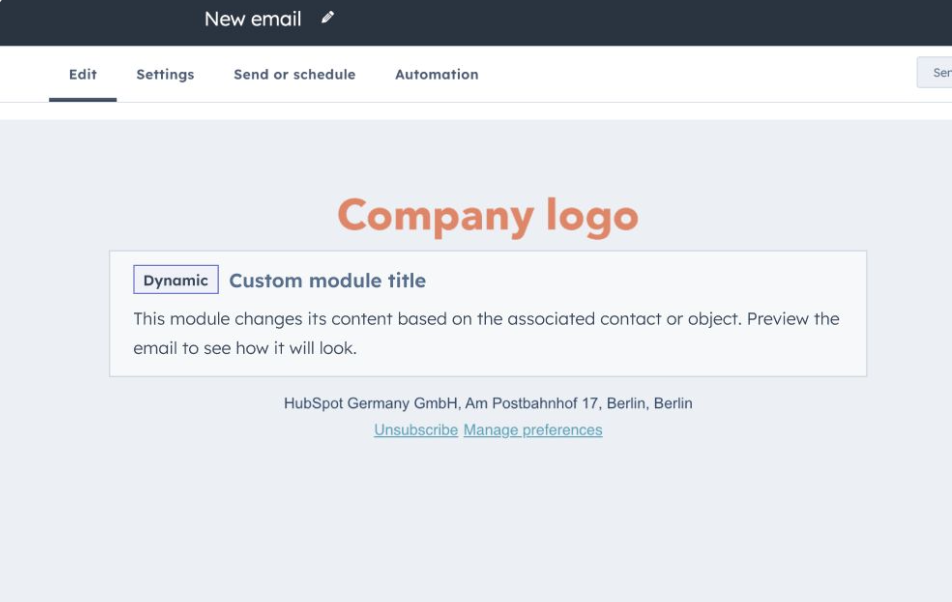
Importance: This feature allows marketers to hide unresolved code in email templates within the Marketing Email Editor. It ensures that placeholders update automatically when previewing or sending emails to specific contact records.
Example Use Case: Imagine you're designing an email campaign with custom code. Instead of being disrupted by unresolved HubL, the placeholder lets you focus on the design. This ensures that the final email looks professional when previewed or sent out.
Learn more about the Programmable Email Placeholder
2. Marketing SMS Replies
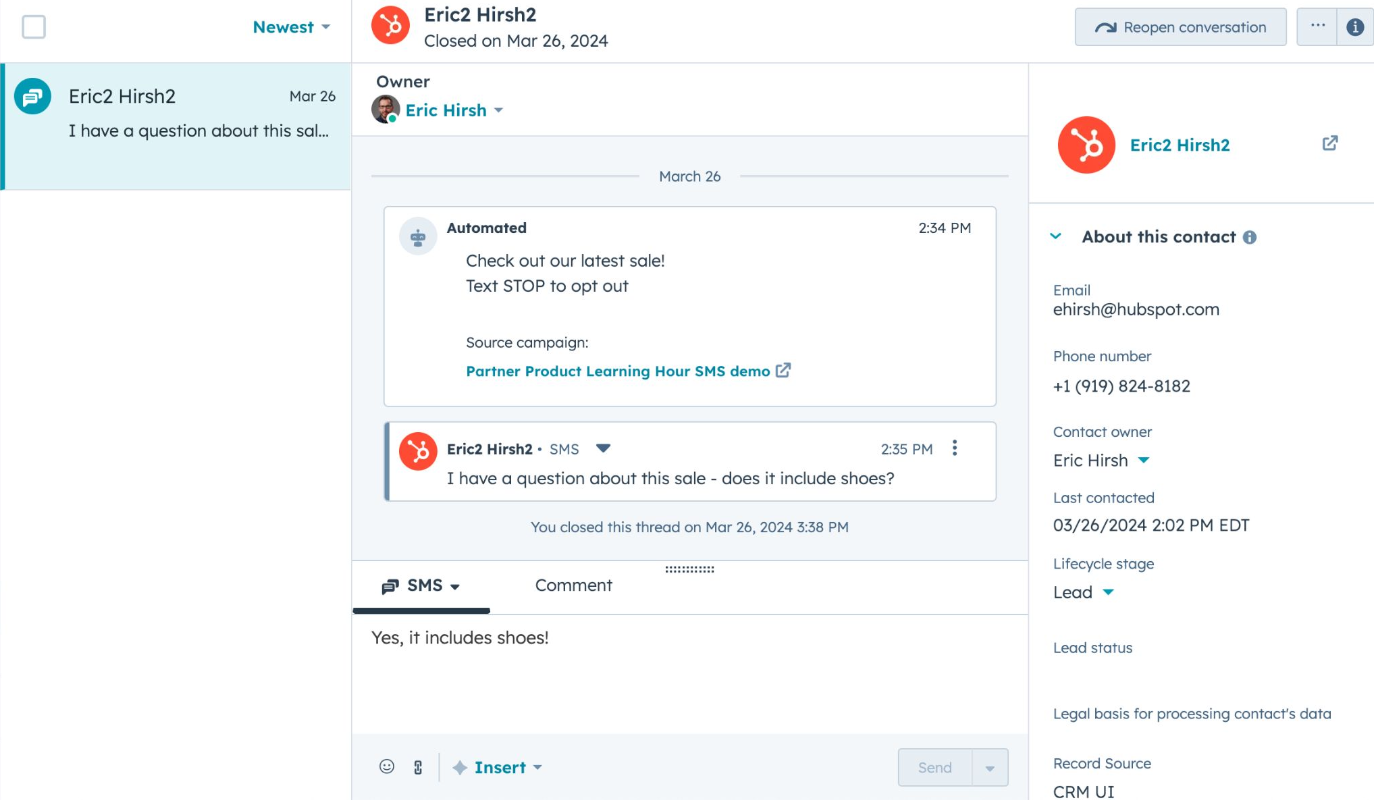
Importance: HubSpot now supports SMS reply management, allowing teams to engage in personalized two-way conversations with marketing contacts, enhancing customer interactions on the go.
Example Use Case: A marketing team can respond to customer inquiries in real-time, driving engagement and building brand loyalty through interactive dialogues.
Learn more about Marketing SMS Replies
3. Automatic Budget & Spend Data Sync Between Ad Campaigns
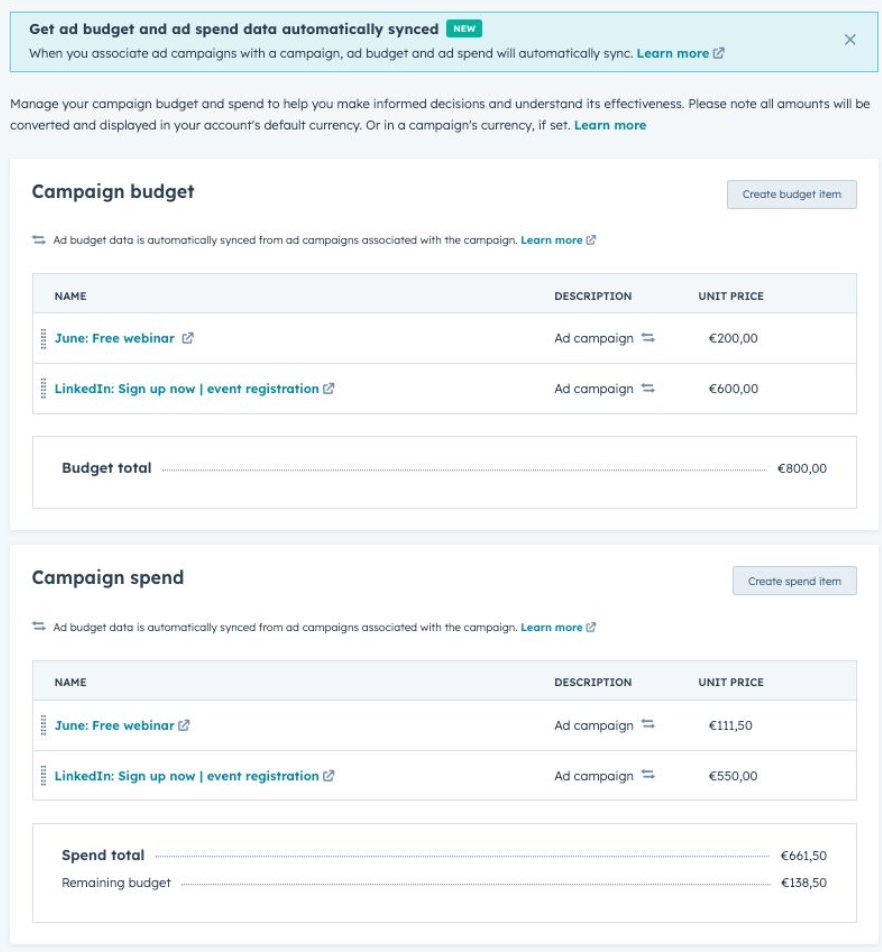
Importance: This feature streamlines campaign management by automating budget and spend data sync from associated Ad campaigns, improving accuracy and efficiency in campaign performance analysis.
Example Use Case: Marketers can now easily track and monitor Ad campaign performance, reducing manual data entry and ensuring a precise overview of total campaign spend and budget.
Learn more about Automatic Budget & Spend Data Sync
4. Approvals for Deal Pipelines
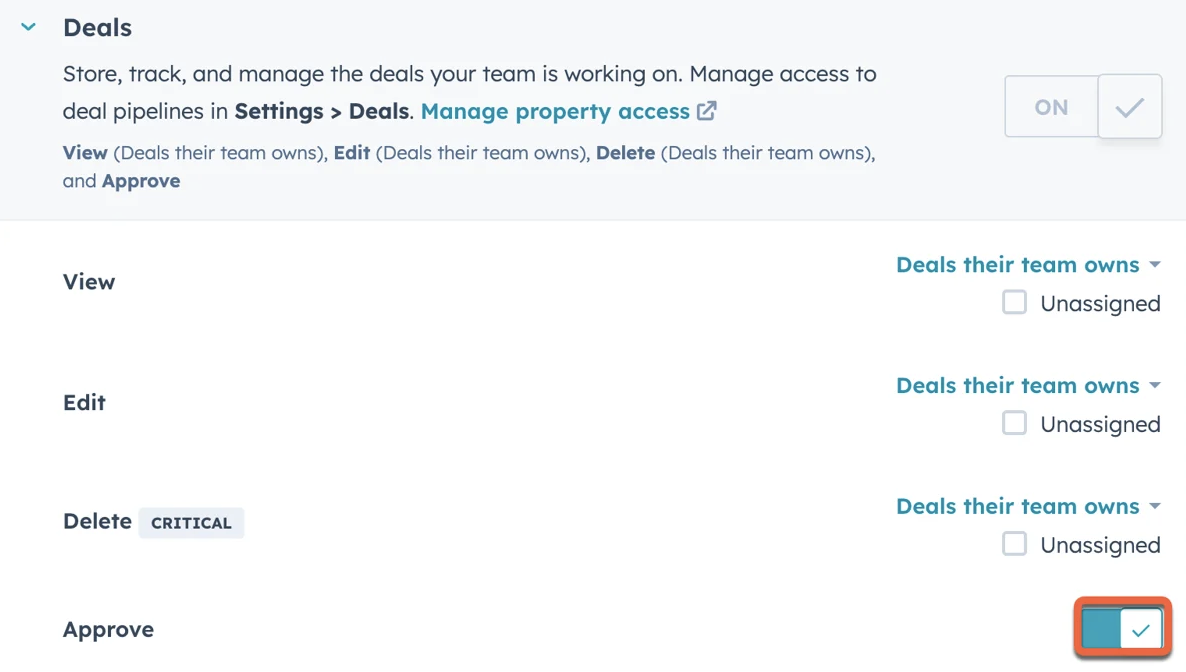
Importance: Sales teams can now enforce an approval process within deal pipelines, ensuring deals are reviewed and approved before progressing.
Example Use Case: Sales managers can enhance deal accuracy and compliance by incorporating pipeline approvals, involving up to three approvers who can approve, request changes, or reject deals.
Learn more about Approvals for Deal Pipelines
5. Re-Attempting Leads
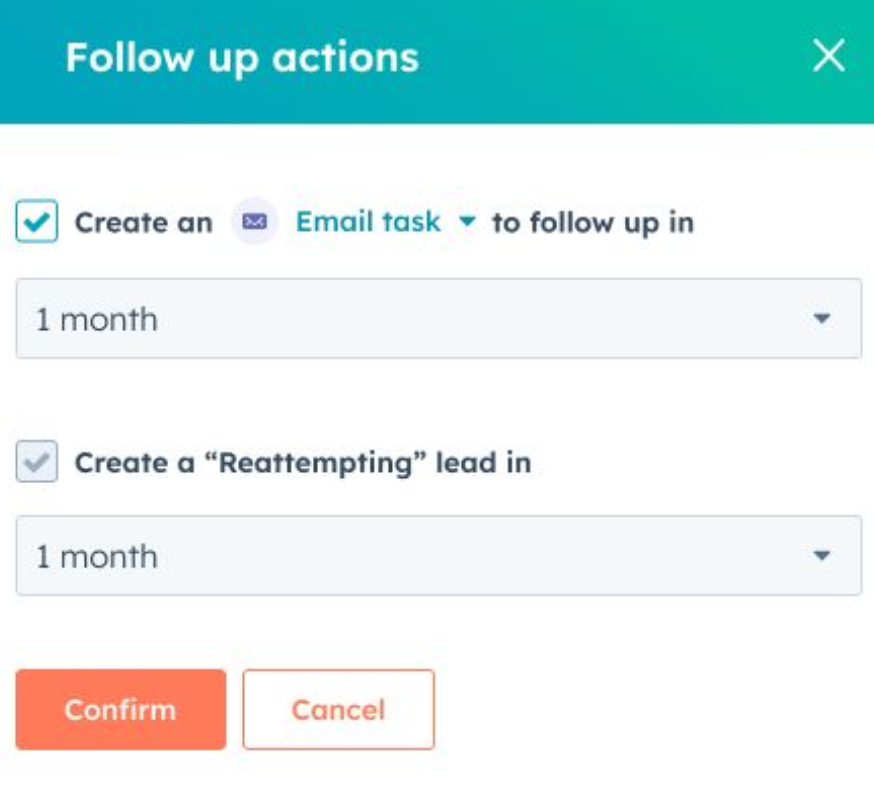
Importance: This update ensures that reps create follow-up leads for disqualified leads, ensuring no lead is forgotten.
Example Use Case: Sales reps can automate the creation of follow-up tasks based on specific disqualification reasons, helping them re-engage with leads at a better time.
Learn more about Re-Attempting Leads
6. Unlimited Rules in a Skill-Based Ticket Routing Rule Set
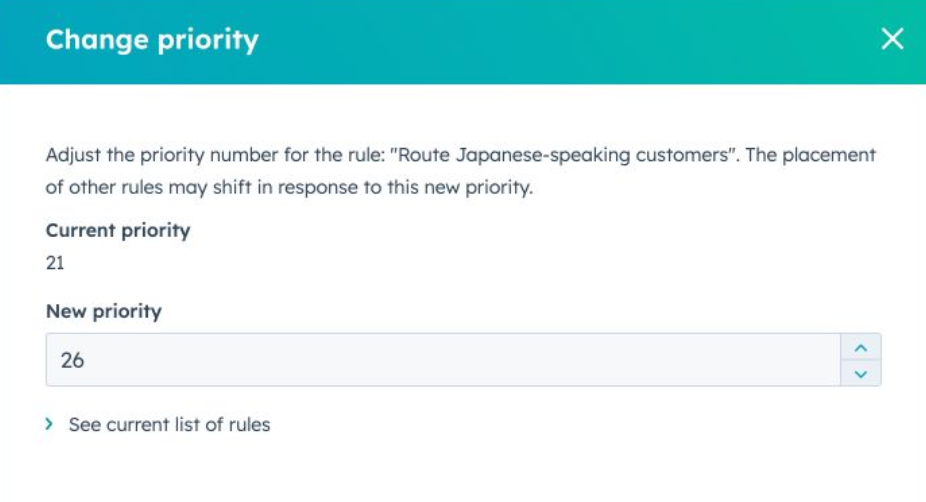
Importance: This feature enhances support by allowing unlimited sequential rules for skill-based ticket routing, ensuring tickets are assigned to the most suitable reps.
Example Use Case: Support teams can efficiently connect customers with the right expertise, improving customer satisfaction and resolution times.
Learn more about Skill-Based Ticket Routing
7. Enhancements: Pipeline Rules for Deals and Tickets
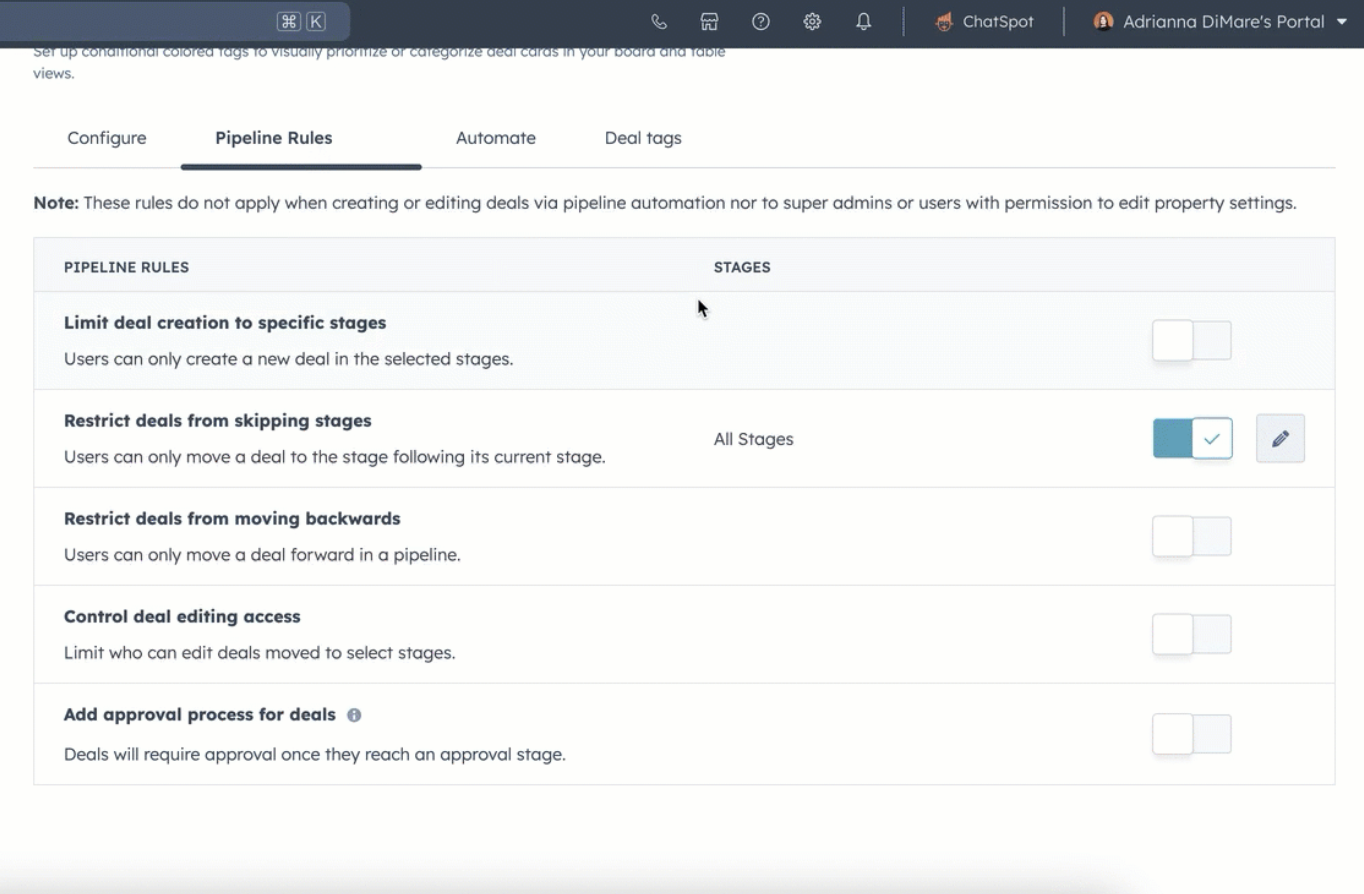
Importance: These enhancements provide more customization for workflow rules in Deal and Ticket pipelines, aiding in accurate data collection and strategic decision-making.
Example Use Case: Businesses can set specific rules for pipeline stages, ensuring data accuracy and informed decision-making.
Learn more about Pipeline Rules Enhancements
8. User Out of Office for Inbox and Help Desk
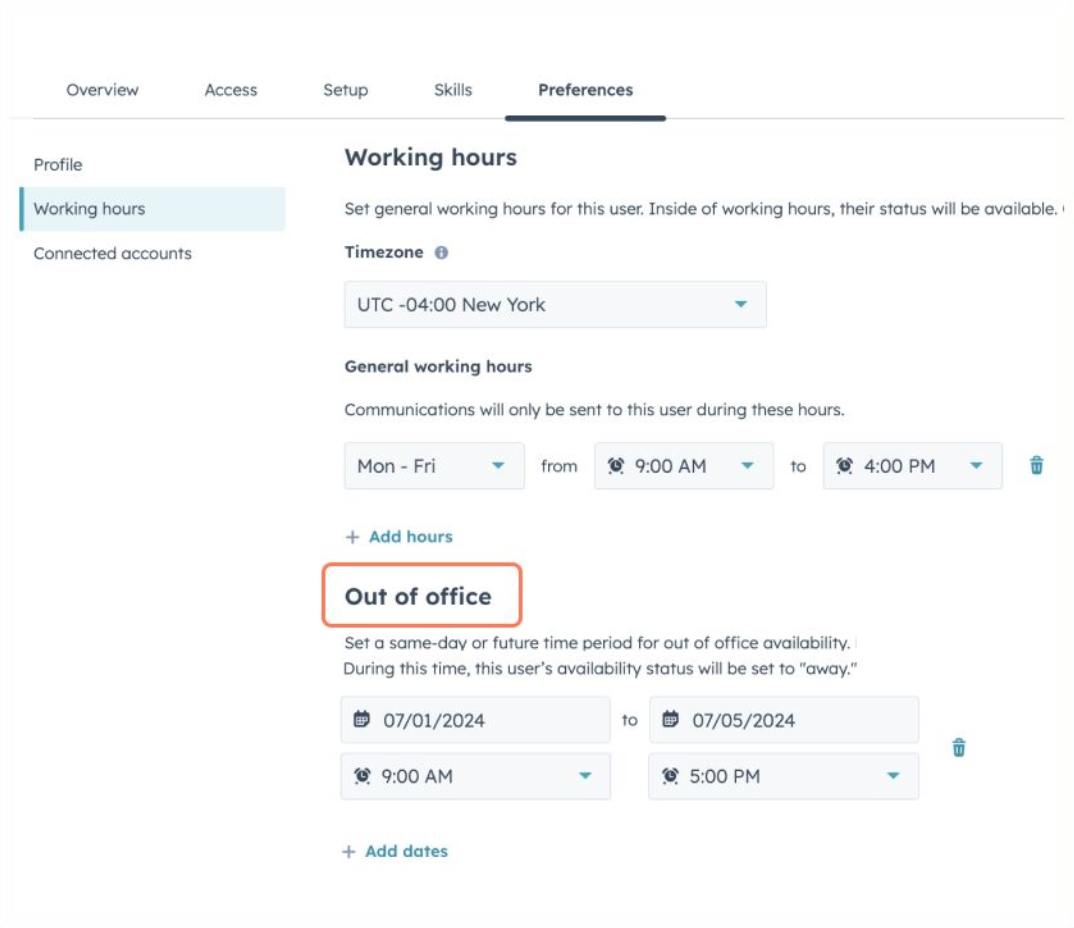
Importance: This feature allows users and admins to set out of office blocks, ensuring team collaboration is effective and workload is managed efficiently.
Example Use Case: Teams can prevent interruptions by setting availability statuses, ensuring smooth operation across different time zones and holidays.
Learn more about User Out of Office
9. Workflows Health Tab
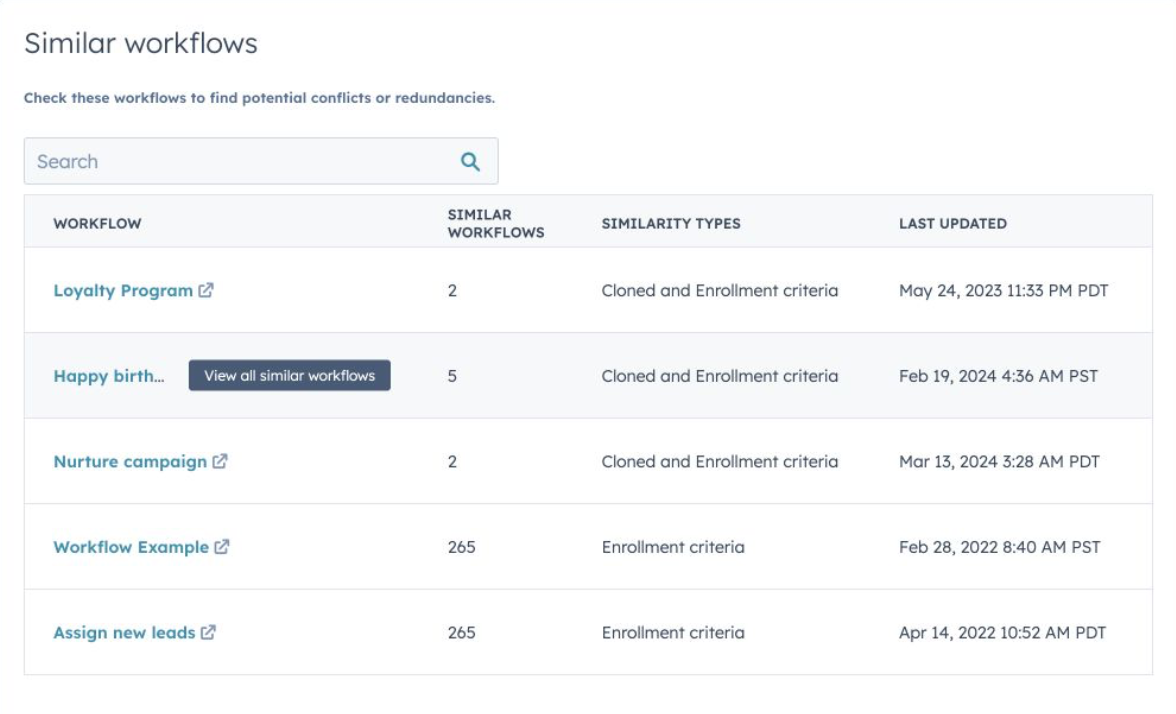
Importance: This tab provides insights into the health and usage of workflows, helping users manage potential risks efficiently.
Example Use Case: Users can quickly identify and address potential issues in workflows, maintaining smooth and effective operations.
Learn more about the Workflows Health Tab
10. Data Quality Weekly Digest
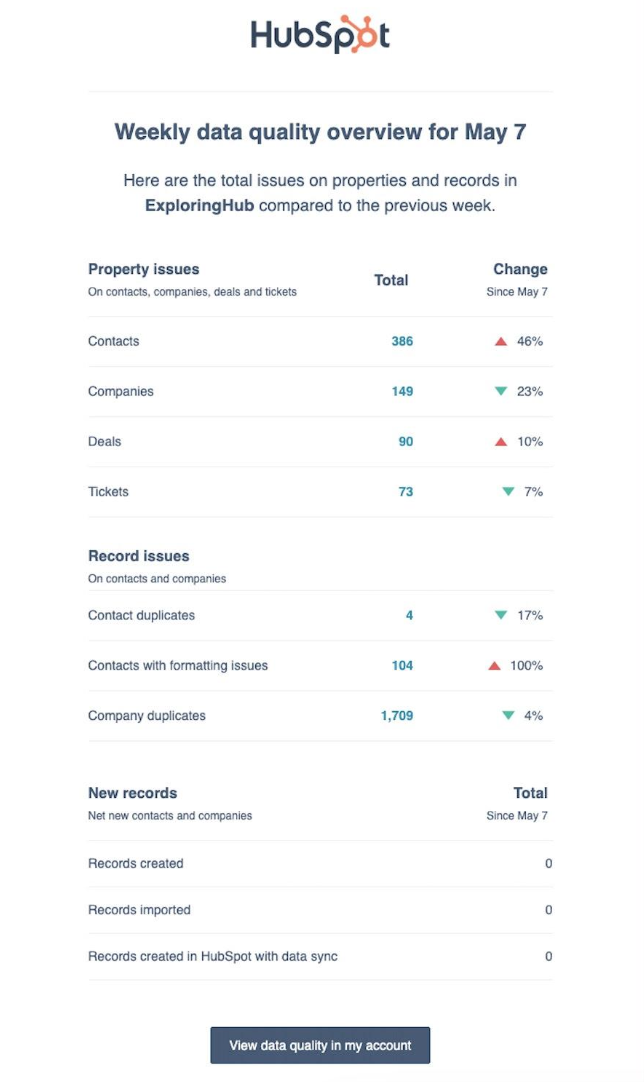
Importance: This digest provides a weekly summary of data health, highlighting changes in issue volume and maintenance needs.
Example Use Case: Businesses can proactively manage data inconsistencies, ensuring data quality and preventing downstream issues.
Learn more about the Data Quality Digest
11. Data Passing in Custom Code, Webhook, and Custom Workflow Actions
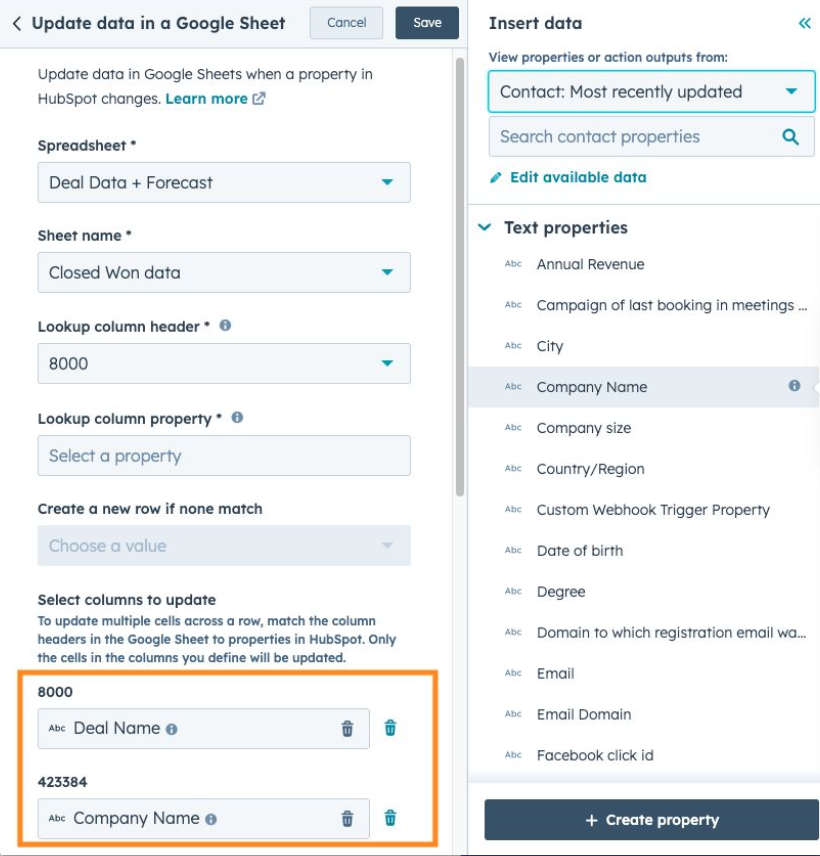
Importance: This update allows data from enrolled records and their associated objects to be used in workflows, enhancing customization and efficiency.
Example Use Case: Businesses can create more data-driven and efficient workflows by incorporating data tokens into custom actions.
Learn more about Data Passing in Custom Actions
12. View Estimated Payout and Deposit Dates in HubSpot Payments
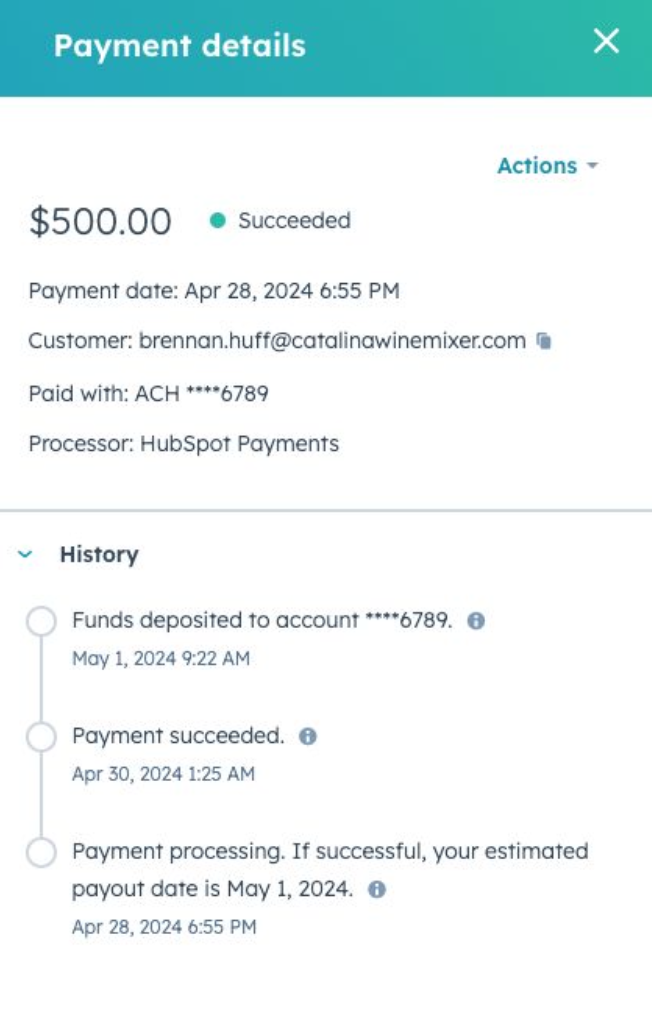
Importance: Users can now see estimated payout and deposit dates for payments, providing better financial visibility.
Example Use Case: HubSpot Payments customers can track when funds will reach their bank accounts, improving financial planning.
Learn more about Estimated Payout Dates
13. Set Default Email to Send Invoices from Commerce Hub
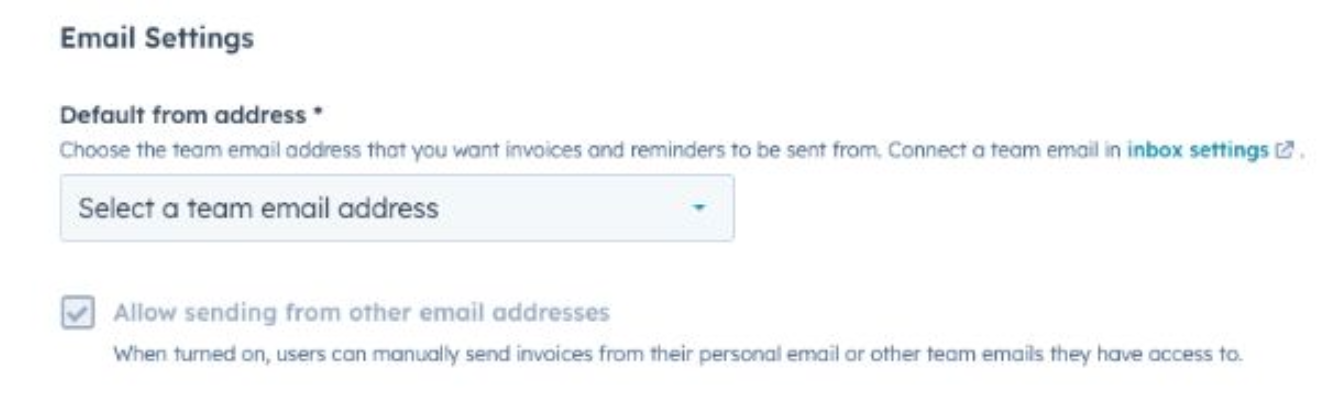
Importance: This feature allows billing teams to choose a default email address for sending invoices, enhancing email management.
Example Use Case: Businesses can use a team email address for invoicing, ensuring consistency and professionalism in communications.
Learn more about Setting Default Emails for Invoices
14. Apply Taxes on Line Items (beta)
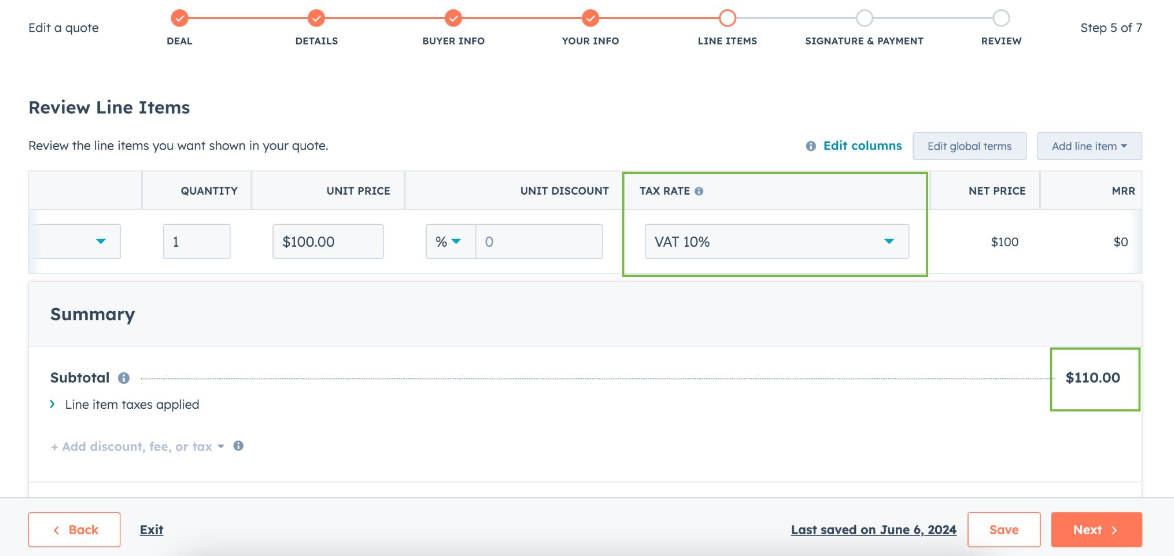
Importance: Users can now create and apply tax rates to individual line items, ensuring accurate tax calculations.
Example Use Case: Businesses can associate tax rates with specific line items in Quotes, Deals, and Invoices, streamlining financial operations.
Learn more about Applying Taxes on Line Items
15. Automation Public API v4
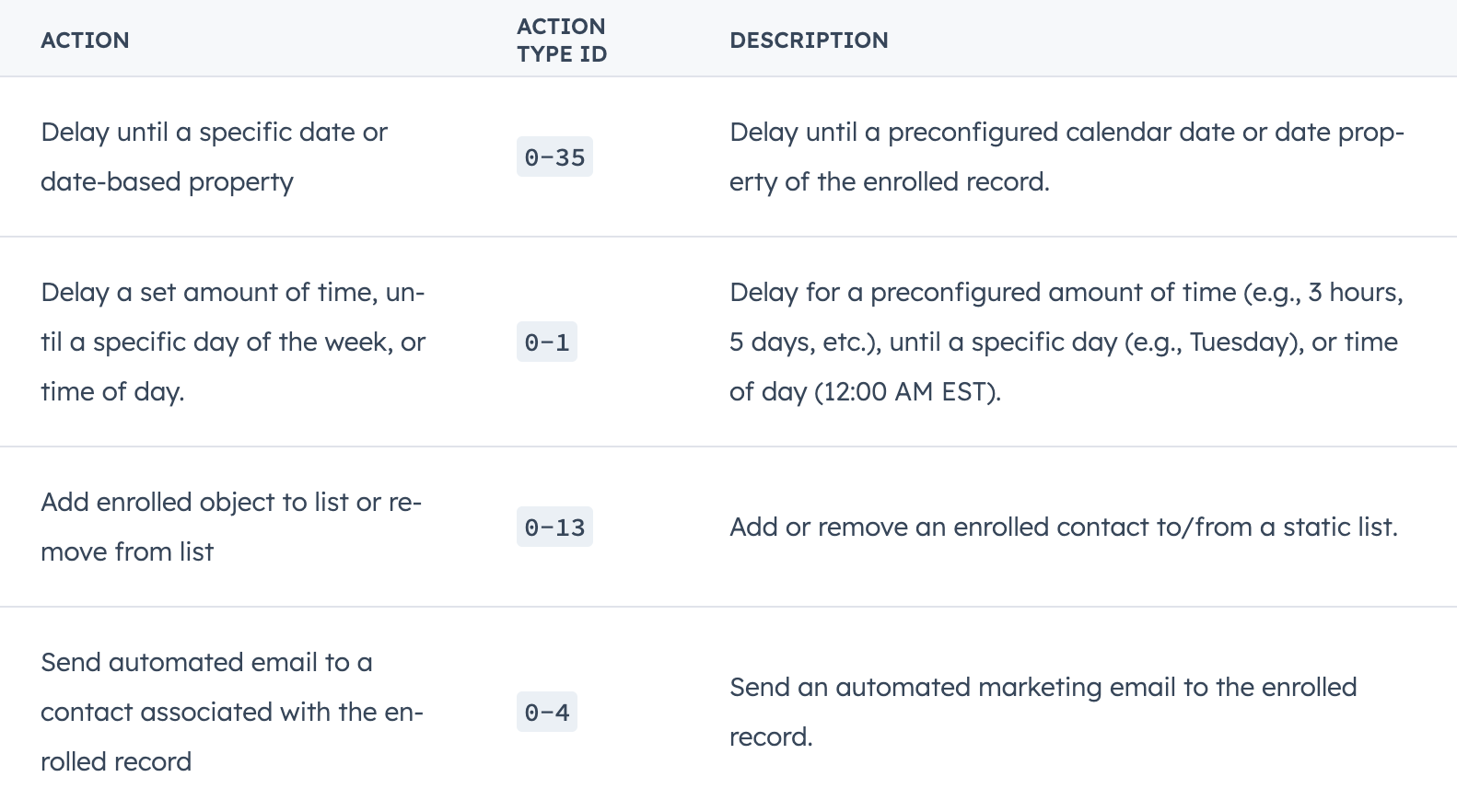
Importance: This API offers advanced capabilities for managing and automating workflows, enhancing workflow scalability and customization.
Example Use Case: Developers can streamline workflow management by accessing comprehensive workflow representations and performing batch updates.
Learn more about Automation Public API v4
16. Store HIPAA Data in HubSpot
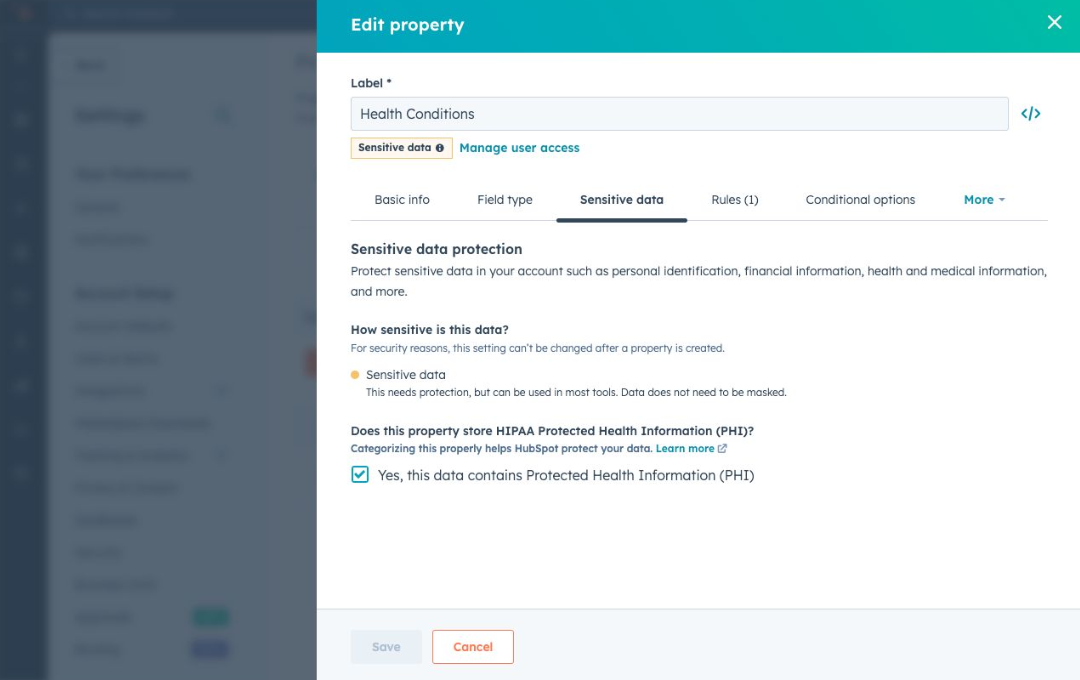
Importance: This update allows organizations to store and manage personal health information (PHI) in compliance with HIPAA regulations.
Example Use Case: Businesses can securely store HIPAA data, improving customer interaction and data management processes.
Learn more about Storing HIPAA Data in HubSpot
17. Ticket Lists
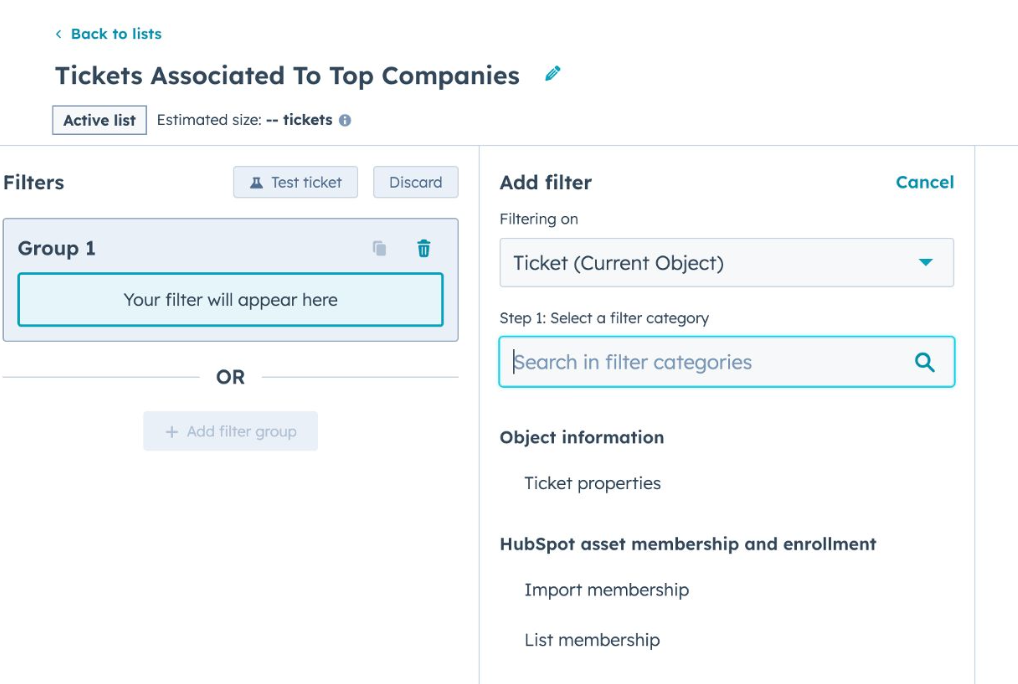
Importance: This feature allows users to create lists of tickets, improving ticket management and workflow integration.
Example Use Case: Support teams can efficiently track and manage tickets, leveraging property and event data for better workflow integration.
18. Order and Cart Lists
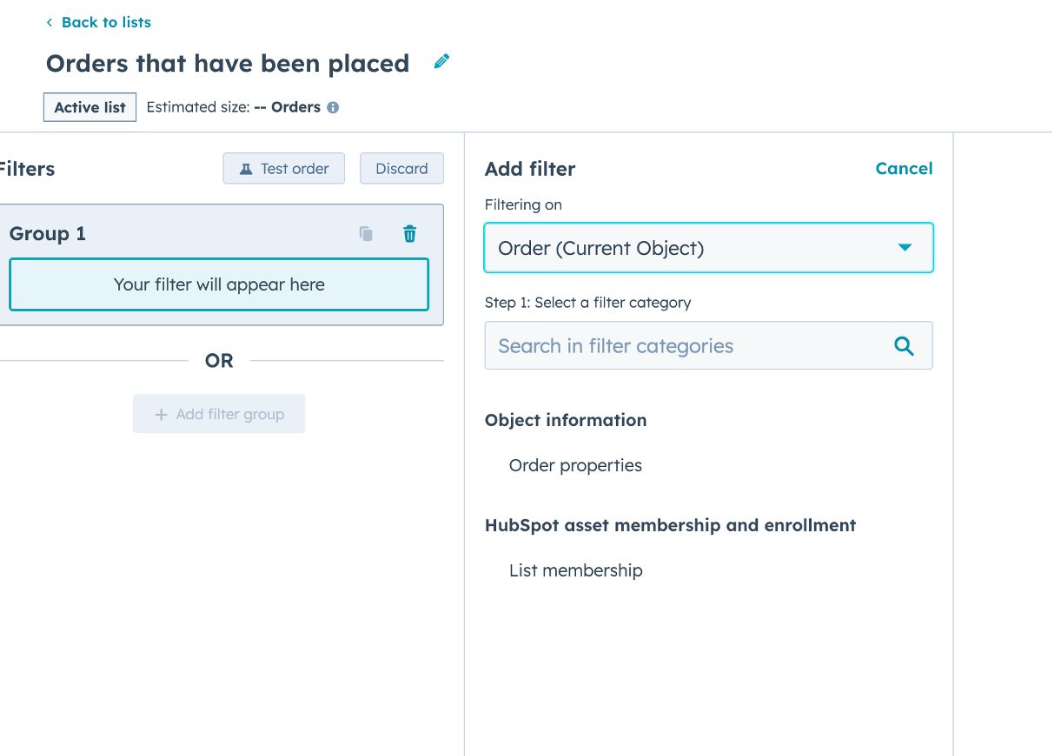
Importance: Users can now create targeted lists of orders and carts, improving tracking and analysis for business operations.
Example Use Case: Businesses can integrate order and cart data into workflows, reporting, and saved views, enhancing operational efficiency.
Learn more about Order and Cart Lists
19. Easily Review Your Data Model in Table Format

Importance: This enhancement provides a user-friendly table format for reviewing data models, improving accessibility and understanding.
Example Use Case: Users can quickly grasp detailed information about objects, associations, and properties, facilitating better data management.
Learn more about Reviewing Data Models
HubSpot's latest updates for July are designed to enhance efficiency, improve engagement, and streamline operations across various business functions. To explore these features in more detail, visit the HubSpot knowledge base and learn how to leverage these updates to drive your business forward.
Keep reading

Oct 13, 2026
Software in a Service: Taking Responsibility for What Happens Next
An integration fails on a Tuesday morning. Website inquiries stop reaching the CRM. Nobody notices until a customer calls to ask why no one got back to them.

Feb 03, 2026
What HubSpot Admins Should Focus on in Q1
Q1 is when HubSpot Admins lock the decisions that keep Q2 (and the rest of the year!) from turning into damage control. This is the time to decide what the system will do, who owns what, and how you’ll measure success.

Nov 07, 2025
The Simple Guide to HubSpot Agency Onboarding
You already know that HubSpot is the best tool to run your business smoothly and help it grow. You’re ready to get started with implementing best practices, but where to begin?