18 Key HubSpot Updates to Enhance Your Business Processes
1. Email - New Bot Open & Click Rate
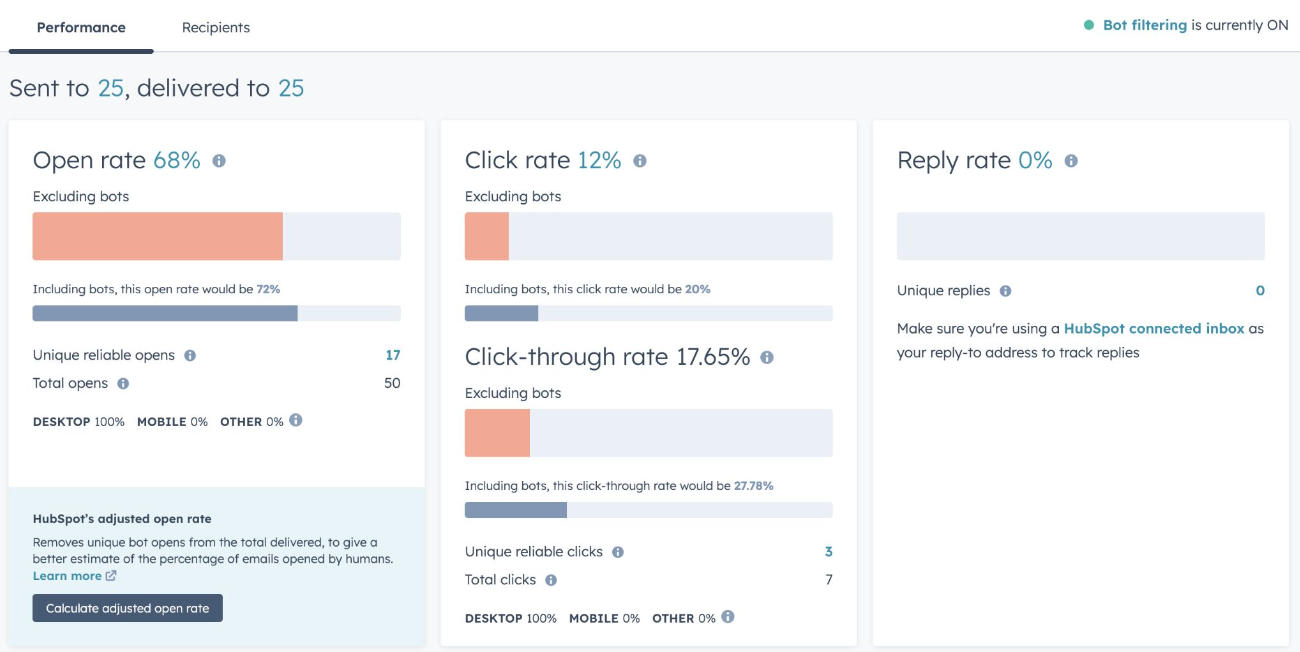
Update: HubSpot now shows open and click rates that include and exclude recognizable bots on the email post-send page. Importance: Provides a more accurate view of human engagement with your emails. Use Case: Compare bot-included and excluded rates to measure the real effectiveness of your email campaigns
2. Improved Button Padding in Email
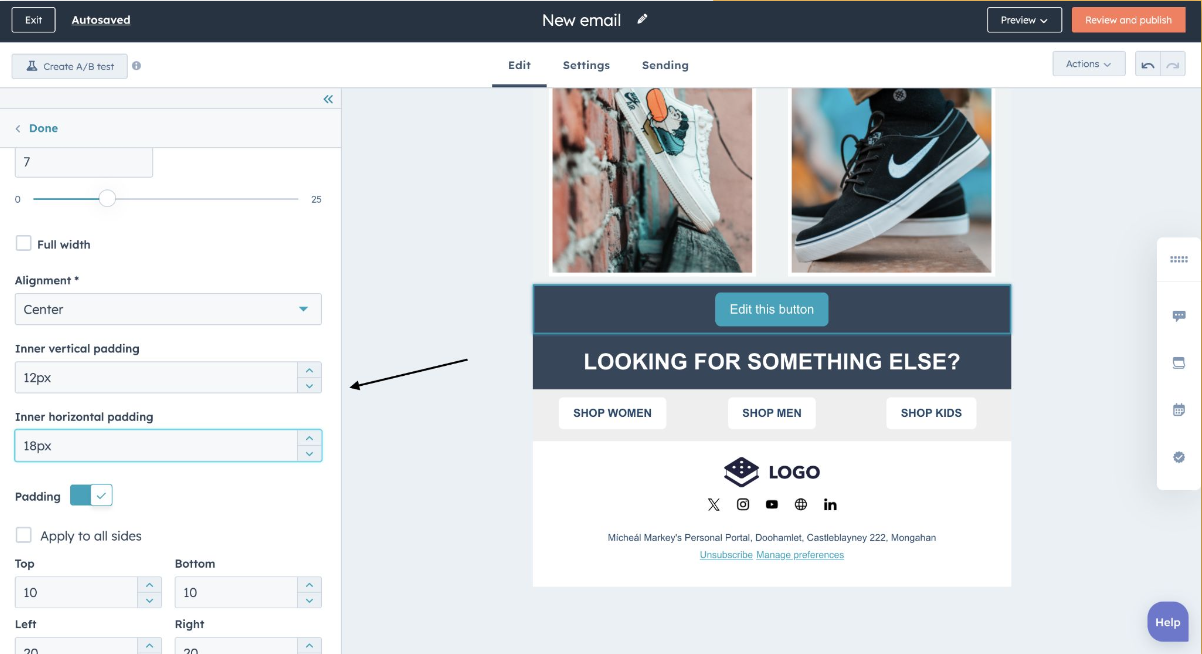
Update: New inner and horizontal padding options in the Email Editor. Importance: Enhances visual appeal and readability of buttons in marketing emails. Use Case: Customize button padding for better accessibility and higher engagement rates.
3. Content Approvals Rating Criteria
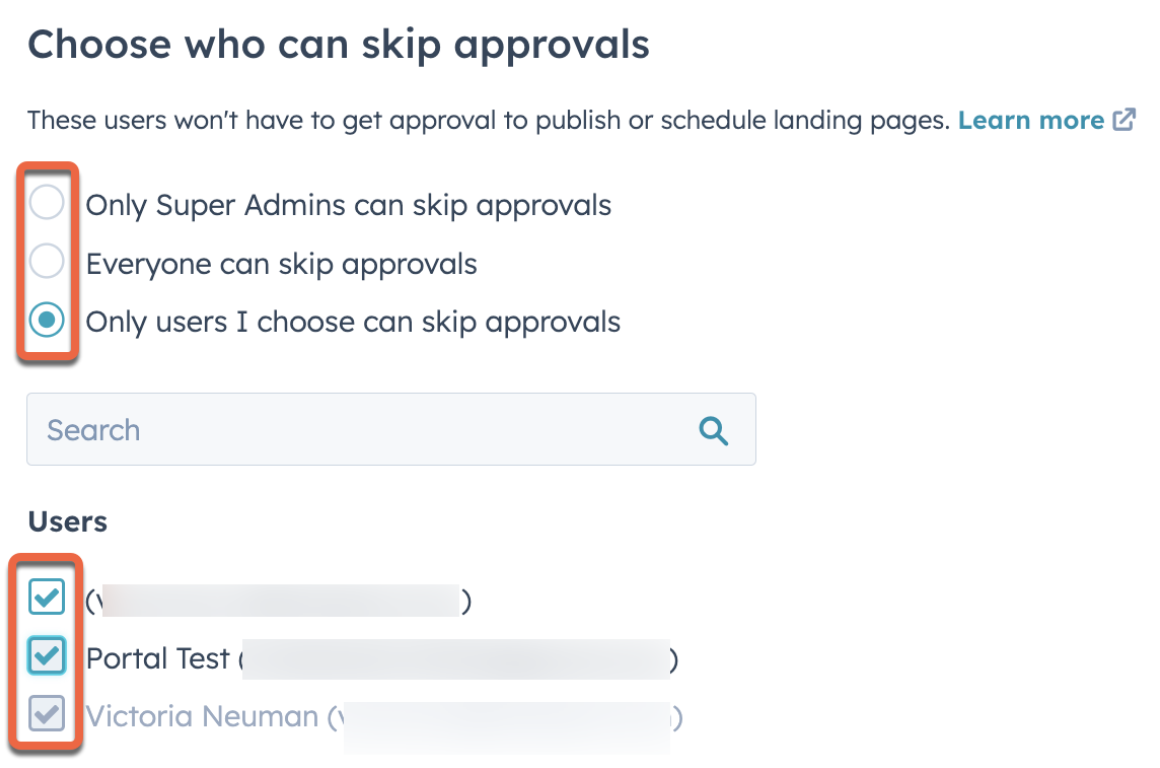
Update: Security Health Check now evaluates if content approvals are enabled for various content types. Importance: Ensures better risk management and security for your account. Use Case: Enable content approvals to enhance security and governance. Learn More: HubSpot Knowledge Base
4. Custom Fonts Now Supported in New CTAs
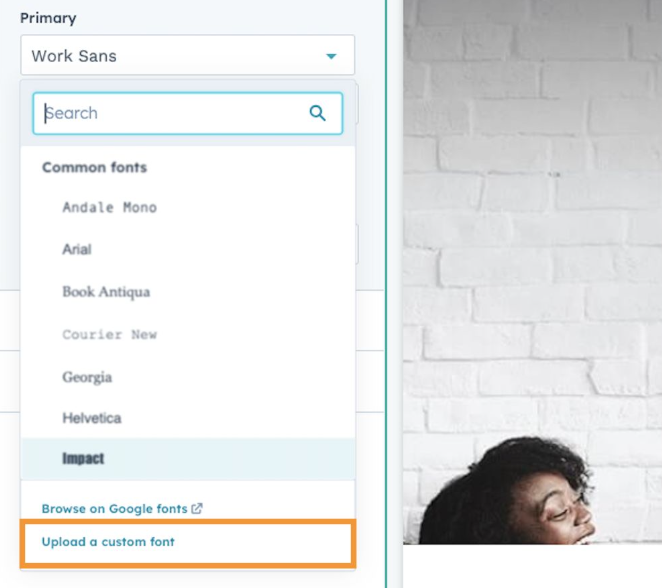
Update: Ability to upload and use custom fonts in new CTAs. Importance: Enhances brand consistency and design flexibility. Use Case: Use custom fonts to match your brand’s visual identity in CTAs.
5. Assigned Lead Notifications
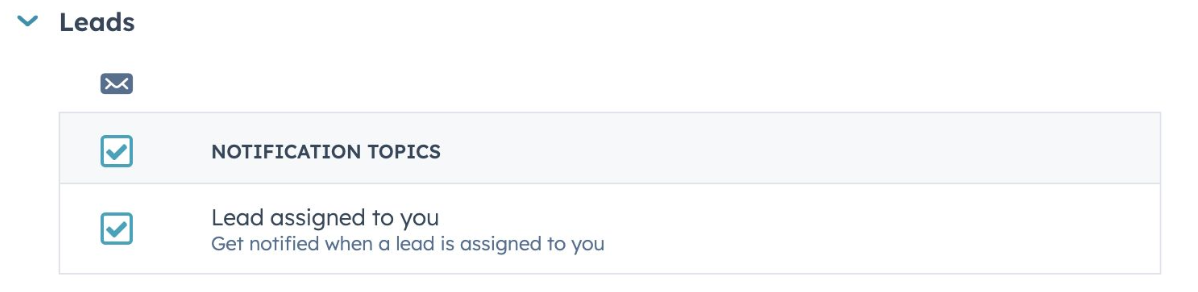
Update: Sales reps receive email and in-app notifications when new leads are assigned. Importance: Improves response time and lead management. Use Case: Quickly act on new leads with immediate notifications. Learn More: HubSpot Knowledge Base
6. Calling Apps in Help Desk
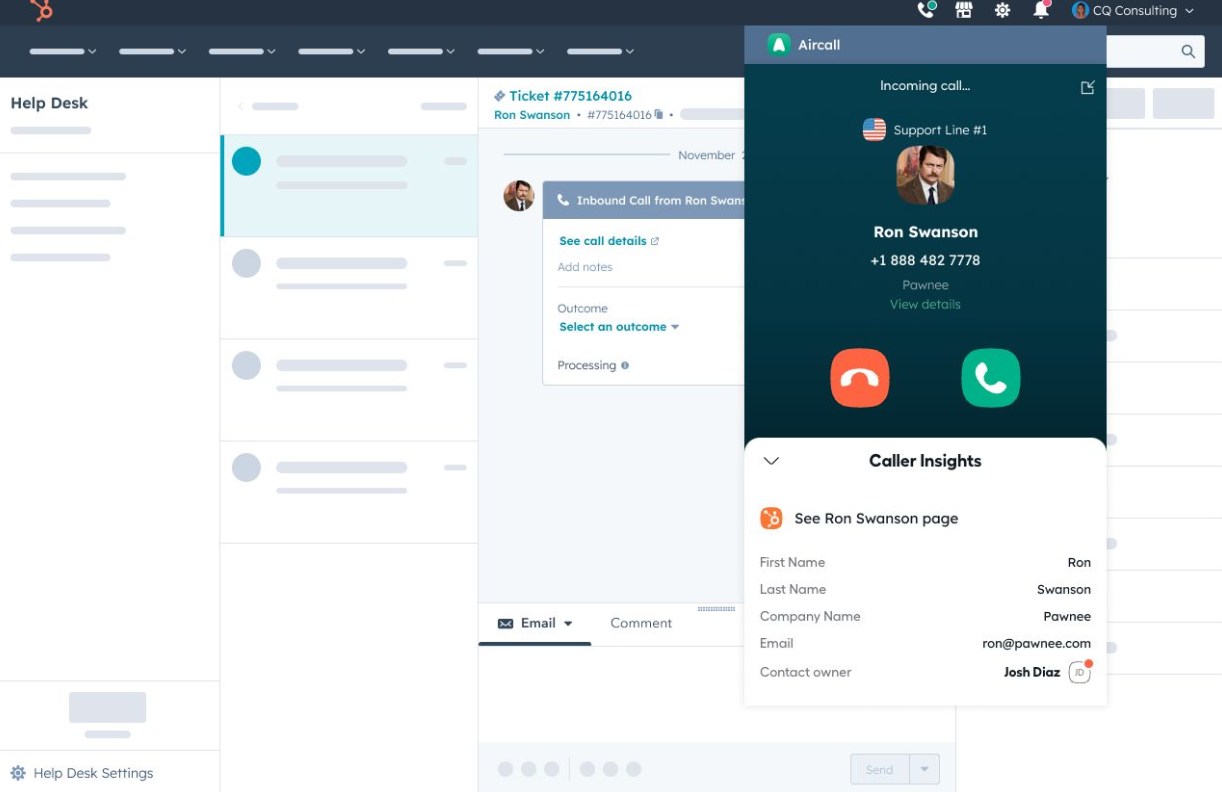
Update: Connect existing calling integrations to HubSpot Help Desk. Importance: Enhances omni-channel support capabilities. Use Case: Direct inbound calls to teams and create tickets in connected pipelines. Learn More: HubSpot Knowledge Base
7. Customizable Quick Filters in Help Desk
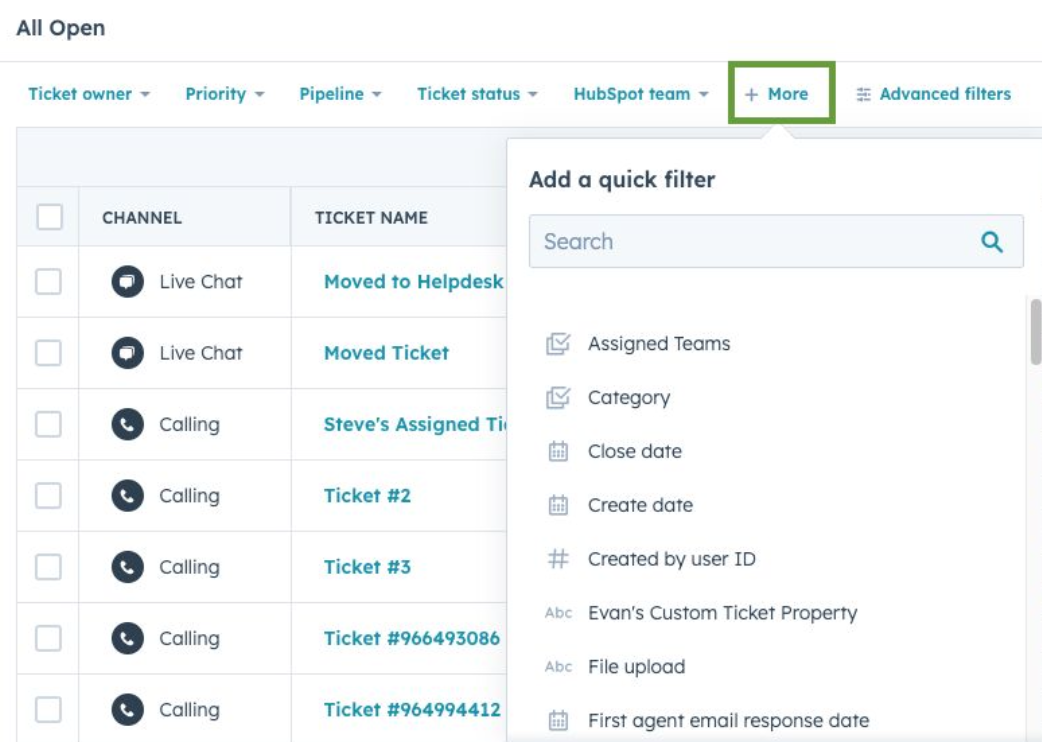
Update: Help desk ticket list quick filters are now customizable. Importance: Streamlines the filtering process for agents. Use Case: Agents can select up to 5 additional ticket properties for quick filtering. Learn More: HubSpot Knowledge Base
8. Custom Tracking Domains for Sales and Service Email
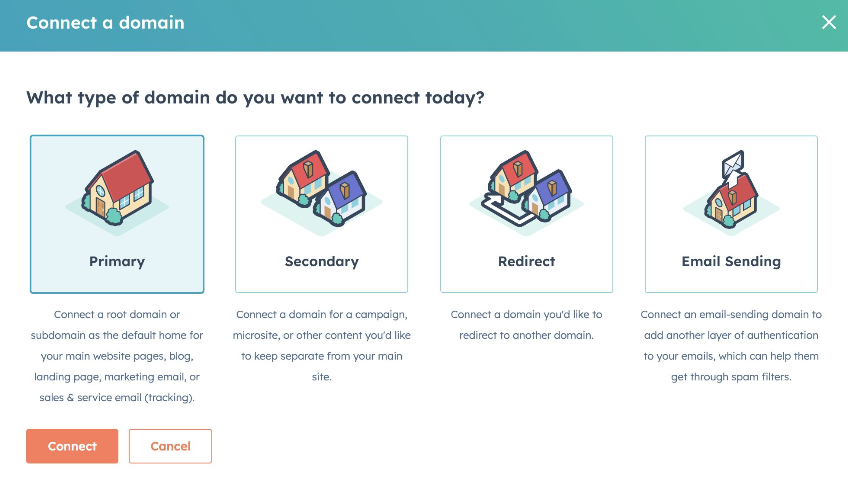
Update: Connect a domain for the "Sales & Service Email (tracking)" content type. Importance: Provides brand consistency in tracking links and unsubscribe links. Use Case: Generate open and click tracking links for emails using connected domains. Learn More: HubSpot Knowledge Base
9. Goals Refresh: A New Manage and Measure Experience
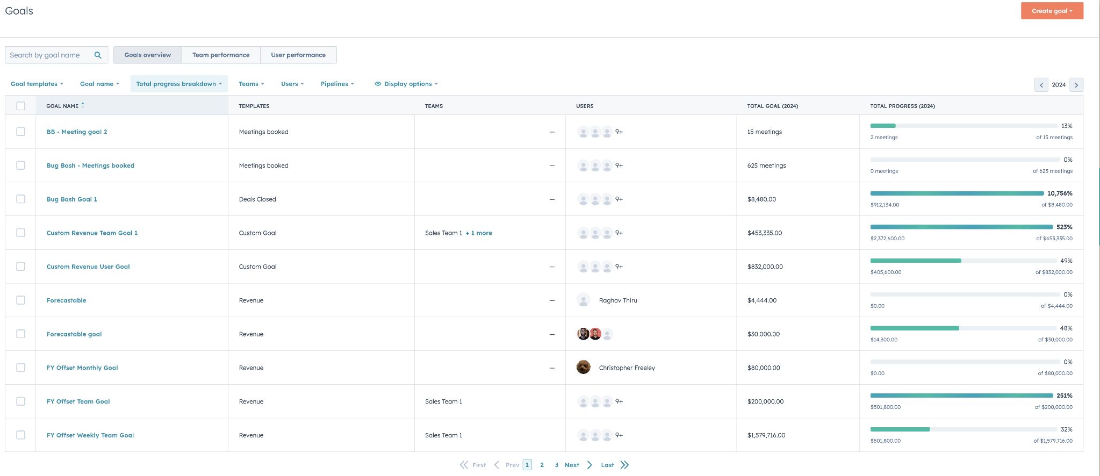
Update: Updated Goals app with new features for managing and measuring goals. Importance: Enhances goal tracking and performance measurement. Use Case: View all goals, apply frequency filters, and access performance reports. Learn More: HubSpot Knowledge Base
10. Sequences Embedded Automation
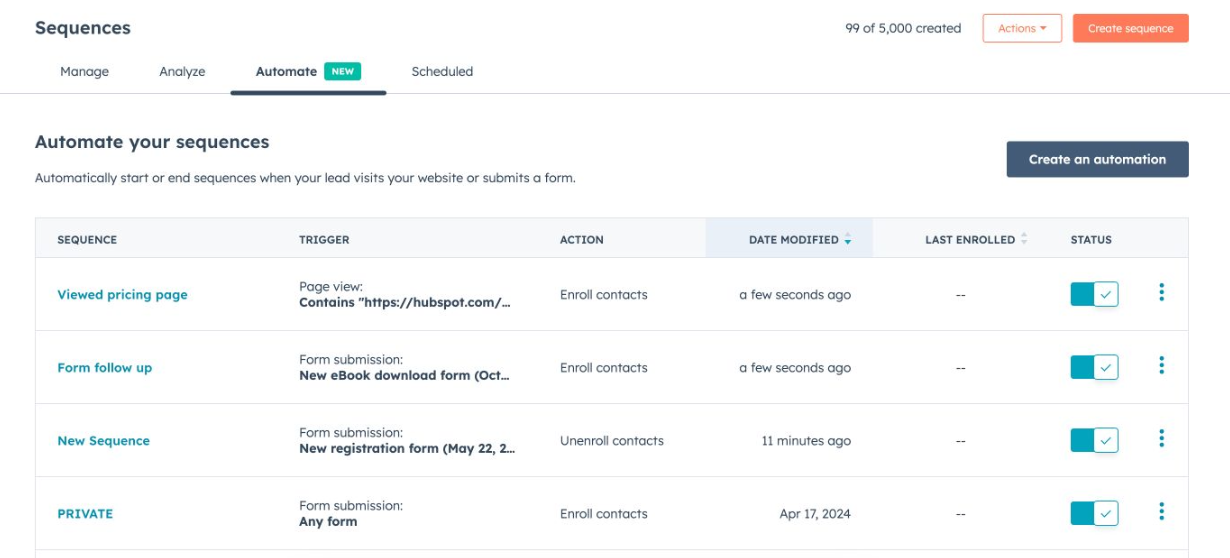
Update: New 'Automate' tab in Sequences app for automated triggers. Importance: Improves sales outreach automation. Use Case: Create custom enrollment and unenrollment criteria based on marketing signals. Learn More: HubSpot Knowledge Base
11. Data Sync - Bulk Recreate Deleted Records
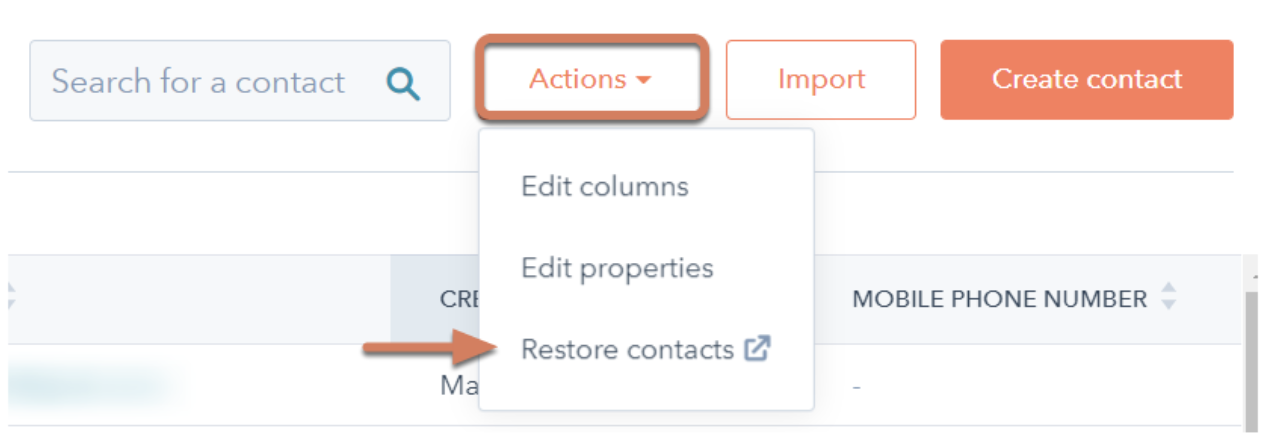
Update: Bulk resync deleted records in Sync Insights tool. Importance: Enhances data recovery and management efficiency. Use Case: Save time by restoring important data through bulk resync. Learn More: HubSpot Knowledge Base
12. AI Assistant to Create Workflow Actions
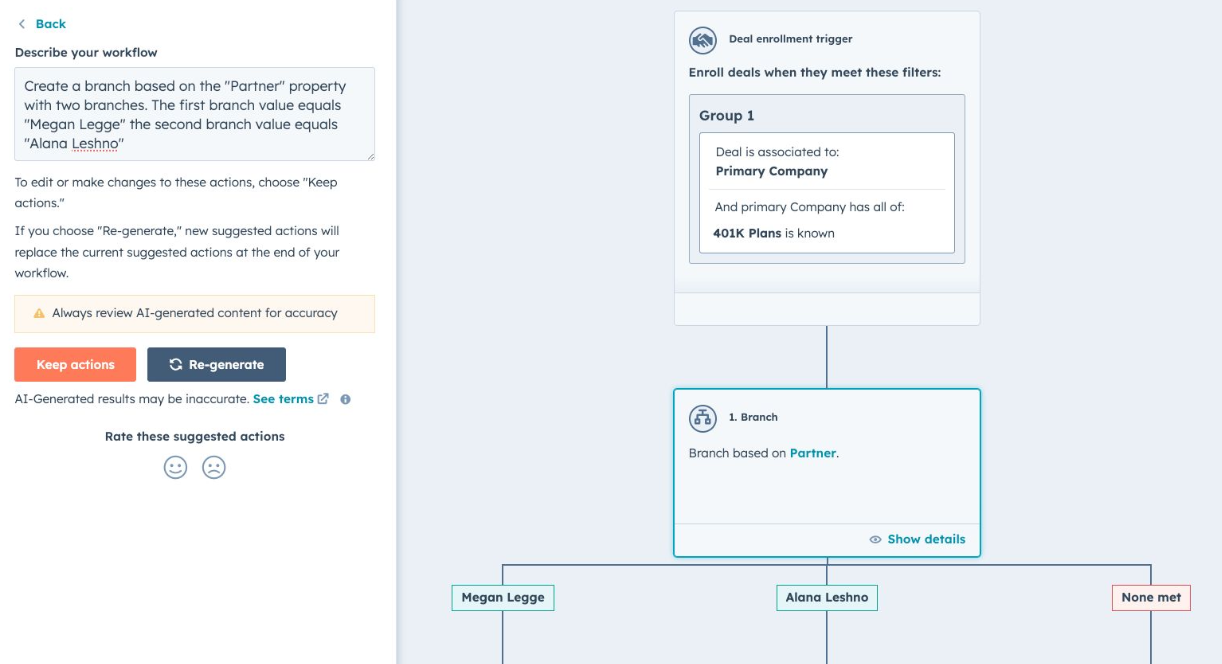
Update: AI Assistant in Workflows for creating workflow actions. Importance: Streamlines automation processes with AI assistance. Use Case: Automate and streamline tasks with minimal configuration effort. Learn More: HubSpot Knowledge Base
13. Edit Option in Fix Formatting Issues Tool
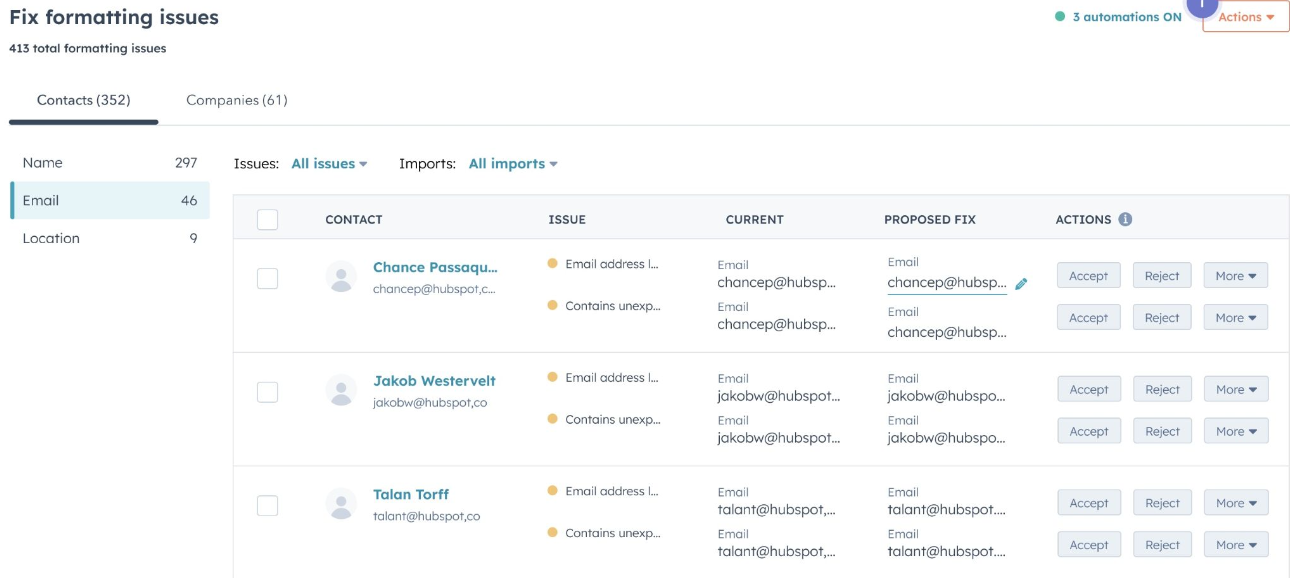
Update: Edit records directly within the Fix Formatting Issues tool. Importance: Improves data accuracy and management flexibility. Use Case: Make customized edits to data for better accuracy and consistency. Learn More: HubSpot Knowledge Base
14. Interactive Workflow Diagram Highlighting
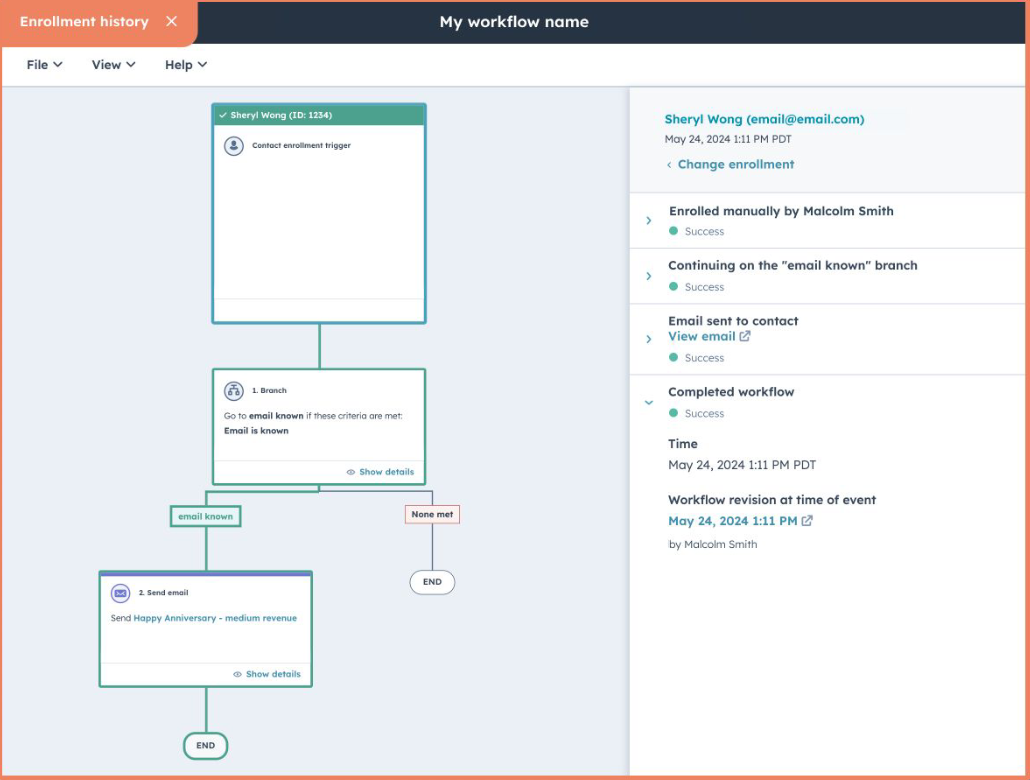
Update: Workflow editor shows enrollment history with workflow diagram. Importance: Provides visual insights into workflow progress. Use Case: Easily see the path each enrollment took within a workflow. Learn More: HubSpot Knowledge Base
15. New 'Collect Payment' Selection in Commerce Hub
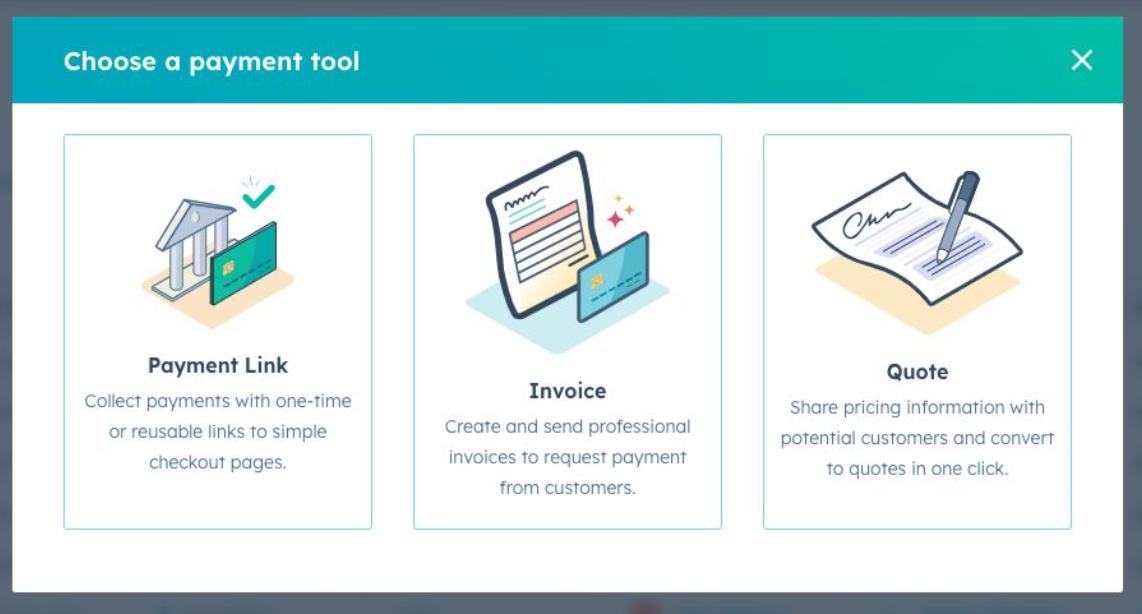
Update: Introduced 'Collect payment' action from the Payments view. Importance: Simplifies payment collection process. Use Case: Choose the right payment tool for your sales process. Learn More: HubSpot Knowledge Base
16. Custom Invoice Fields in Commerce Hub
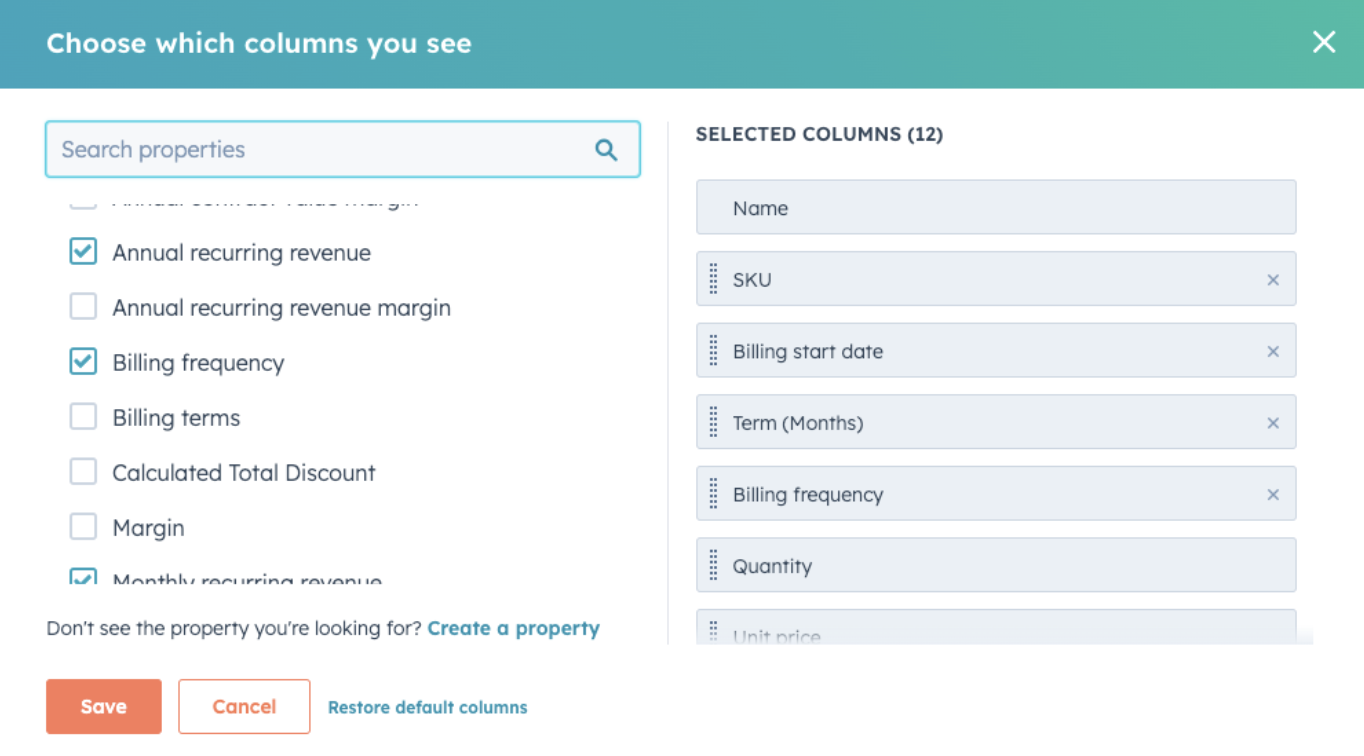
Update: Add up to 4 custom fields to HubSpot invoices. Importance: Provides flexibility and control over invoice content. Use Case: Display additional information on invoices to suit business needs. Learn More: HubSpot Knowledge Base
17. Sync Property Type
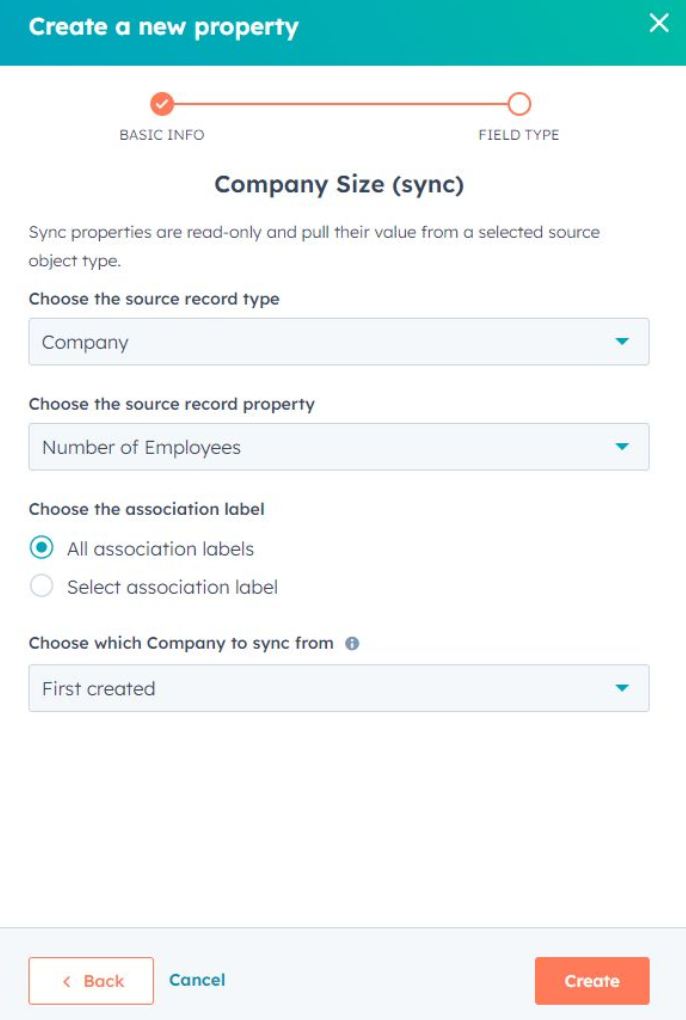
Update: New property type to sync values across objects. Importance: Eliminates manual entry and ensures data consistency. Use Case: Keep data updated and aligned across different objects effortlessly. Learn More: HubSpot Knowledge Base
18. Deal Velocity & Contact Lifecycle Stage Velocity in Stage Tracker Card
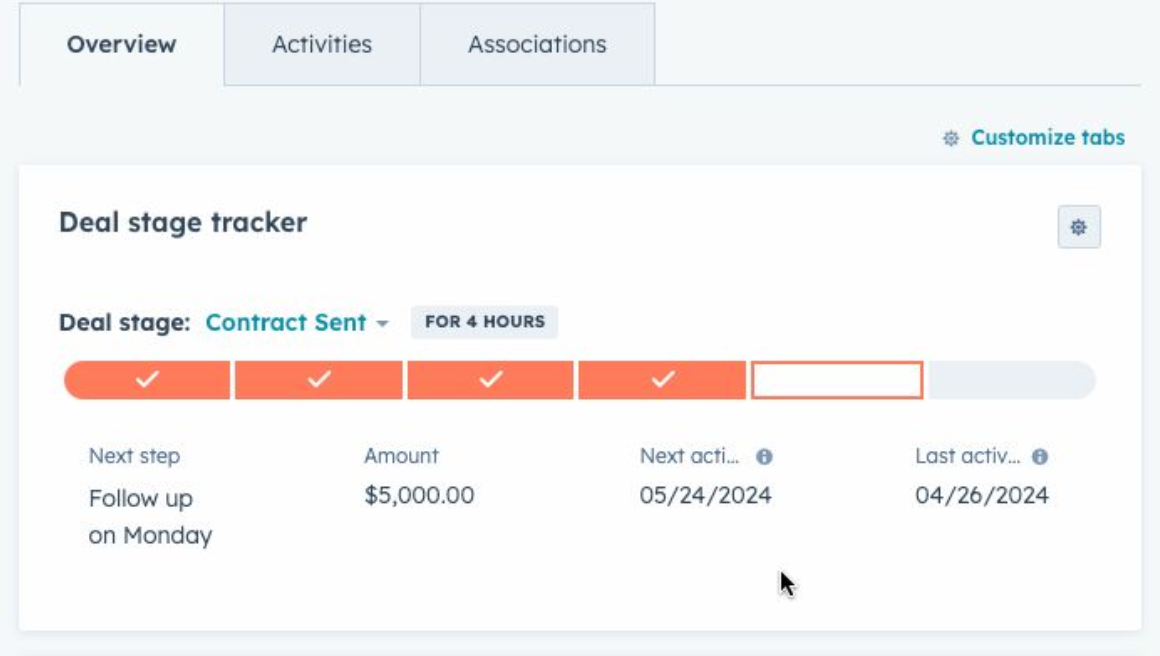
Update: Deal Velocity & Contact Lifecycle Stage Velocity in Stage Tracker. Importance: Provides insights into the duration and progression of deals and contacts. Use Case: Track how long a deal or contact stays in each stage and adjust strategies accordingly. Learn More: HubSpot Knowledge Base
These updates demonstrate HubSpot's commitment to improving user experience and providing robust tools for marketing, sales, and service operations. Make sure to explore these features to fully leverage HubSpot's capabilities in enhancing your business processes.
Keep reading

Oct 13, 2026
Software in a Service: Taking Responsibility for What Happens Next
An integration fails on a Tuesday morning. Website inquiries stop reaching the CRM. Nobody notices until a customer calls to ask why no one got back to them.

Feb 03, 2026
What HubSpot Admins Should Focus on in Q1
Q1 is when HubSpot Admins lock the decisions that keep Q2 (and the rest of the year!) from turning into damage control. This is the time to decide what the system will do, who owns what, and how you’ll measure success.

Nov 07, 2025
The Simple Guide to HubSpot Agency Onboarding
You already know that HubSpot is the best tool to run your business smoothly and help it grow. You’re ready to get started with implementing best practices, but where to begin?